
Manually Update AntiVirus Virus Definition Signatures Without Internet


 7 min. read
  Updated on

F-Secure Virus Definition Databases
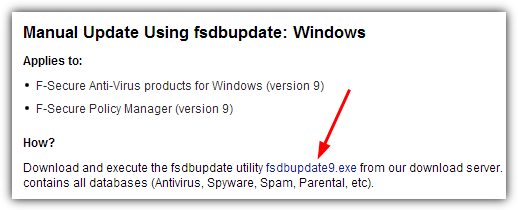
The F-Secure download page has definition downloads for Windows, Linux and an update for the rescue CD, but you need to download the fsdbupdate9.exe under the “Manual Update Using fsdbupdate: Windows” heading. Run the executable upon getting it to update Antivirus, Spyware, Spam, Parental control definitions.
Kaspersky Antivirus / Internet Security / Pure Updates
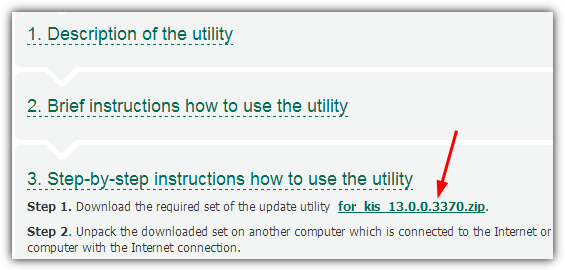
Updating a Kaspersky product offline isn’t quite as easy as some of the other competitor’s software, although luckily it isn’t too difficult. First you need to download the zip file for your specific product, for KAV or KIS go to section 3 -> step 1 for the link, for Pure go to Step by Step instructions -> step 1.
Then when you have extracted the zip, run the Updater.bat file and wait for the definitions to download, there is no progress meter so you will have to be patient as it’s a big download of around 400MB and the Command Prompt window will close when it’s finished. After that, you need to go into your software’s settings and choose to update the sources manually. Full instructions are on the download pages.
Download Antivirus 2013 | Internet Security 2013
McAfee Virus Definition Updates
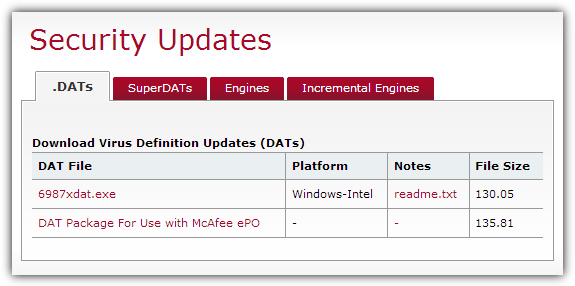
Updating a McAfee product is pretty straightforward and you simply download the DAT executable file from the website, run it then follow any on screen instructions. The SuperDAT definition file contains the virus definitions and the latest antivirus engine update.
Download McAfee Definition Updates (DATs)
Microsoft Security Essentials / Windows 8 Defender
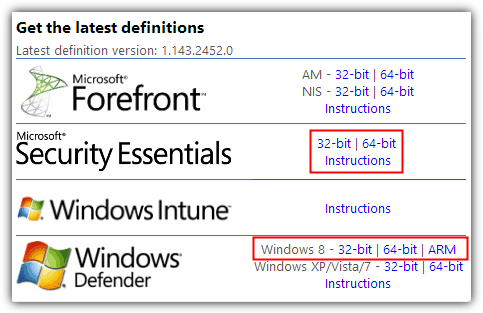
The update file for Security Essentials / Win 8 Defender is an easy one to update because it simply comes in the form of an executable file which will install the update automatically when you run it. Make sure to click on the correct link to download the 32-bit or 64-bit version that matches the Windows you want to install it on.
Download Windows Defender Definition File
Sophos virus identity (IDE) files
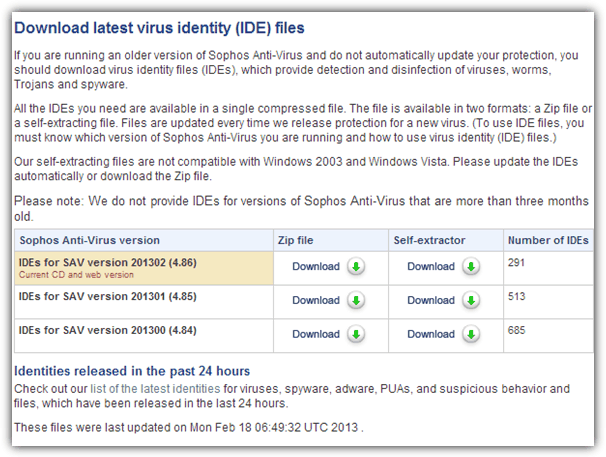
The Sophos definition files are compatible with versions of Sophos Antivirus not older than 3 months, and can be downloaded as either Zip or self extracting executable. Oddly it says you can’t use the self extracting files with Windows 2003 or Vista.
Download Sophos virus identity (IDE) files
Symantec / Norton Security Products
The Norton virus definitions update page has update files for a number of products including the consumer Antivirus / Internet Security / 360 and the business Endpoint Protection and Antivirus Corporate, so make sure you download the correct one for your package. Note the 64-bit version of the update file is under the 32-bit version on the page. Simply run the downloaded executable to update your definitions.
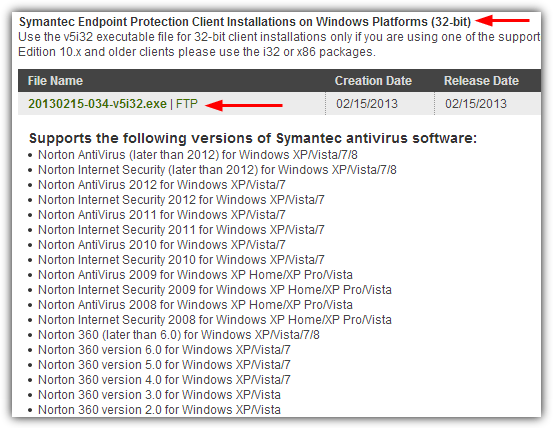
Download Symantec / Norton Definition File
Trend Micro Offline Pattern Files
There are a number of pattern files displayed on the download page, but the top most Consumer Pattern is all that’s needed to get your antivirus definitions up to date. Download the file and unzip it to “C:\Program Files\Trend Micro\Internet Security”. Then restart your computer for the new file to be recognized.
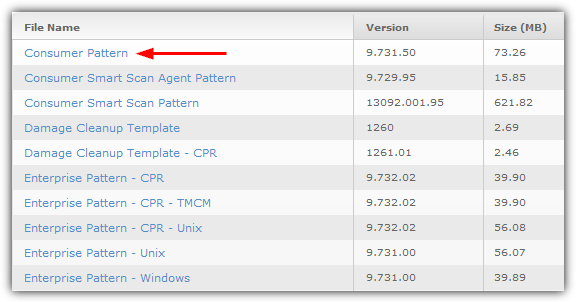
Download Trend Micro Pattern File
ESET NOD32 and Norman products don’t offer offline virus definition signature updates. So if you’re going to install an antivirus on a computer that has a limited Internet connection, do not go for NOD32 and Norman. Panda requires you to enter your username and password to access the database download which you’ll need to know in advance.



Improve this guide

User forum
13 messages